Magyar Könyvelőház
Dutch–Hungarian accountancy firm: company formation, VAT returns, year-end closing and payroll for entrepreneurs in the Netherlands.
magyarkonyvelohaz.nlbooxx.nlBookkeeping in the Netherlands — in five languages
Dutch accounting software for entrepreneurs who keep their own books. Invoices, receipts, bank and VAT — and it isn't only the buttons that speak your language, but your ledger, your invoices, your email and the help you get.
90 days free, then €19 a monthNo payment method neededCancel monthly
Already have an accountant? They work along in your books at no extra cost. How that works
Are you a bookkeeper with clients of your own? For accounting firms
Bookkeeping in five languagesBoekhouden in het NederlandsBookkeeping in EnglishKsięgowość po polskuKönyvelés magyarulContabilitate în română
Click your language to read the site in it.
Official partners
Firms that use booxx themselves and advise it to their clients: a dependable package for keeping your own books, with so little manual work that most of it runs by itself.
Dutch–Hungarian accountancy firm: company formation, VAT returns, year-end closing and payroll for entrepreneurs in the Netherlands.
magyarkonyvelohaz.nl
Bookkeeping, payroll, tax strategy and reporting, with growth planning alongside — aimed at a firm grip on your numbers and the freedom to run your business.
Bookkeeping in the Netherlands — in five languages
The Dutch accounting package booxx is built for freelancers and small limited companies and works fully in five languages: Dutch, English, Polish, Hungarian and Romanian. Fully means more than the screens: your ledger accounts, your outgoing invoices, the app's emails and the assistant are translated too. You create and send invoices, process purchase invoices and receipts, import bank statements and prepare your VAT return under Dutch rules — RGS chart of accounts, VAT boxes, EC Sales List and audit file. You try it free for 90 days without a payment method; after that it is €19 a month for everything, or €4 a month for a set of books that is dormant. It exists for entrepreneurs who keep their own books, and in particular for Polish, Hungarian and Romanian business owners in the Netherlands, for whom the Dutch language of bookkeeping is the real obstacle. Several sets of books run under one login and stay strictly separate; an accounting practice runs them from a single work list. It all works on your phone, as a web app on your home screen.
Yes. In booxx you invite your accountant under Team with the Bookkeeper role. They work in your administration with their own login: they book, manage the ledger and prepare the VAT return, while you create your invoices and forward your receipts by email. That costs nothing extra, for them either: there is no per-user price and they don't need a subscription of their own.
If your accountant already has an account, for themselves or for another client, they get your administration added and switch between their clients at the top.
Your team, your subscription and payments stay with you. You revoke access yourself under Team, and it takes effect immediately.
If they keep the books for more clients, they can work in a firm environment, with one worklist across all their clients.
Send them the guide for bookkeepers. It explains what they can do in your administration, and that it costs them nothing.
No implementation project and no sales call. Three steps, and you're keeping up with the quarter you're in.
Pick your legal form and your start date, and you get a complete Dutch chart of accounts in your own language. Coming from another package? Import its audit file and your opening balance is already there.
You send invoices from the app. Purchase invoices you forward to your own inbox address; supplier, amount and VAT are read out of them. You upload your bank statement as a file.
Your VAT worksheet is ready with the boxes exactly as the Dutch Tax Administration asks for them. You check it, file it, and the period locks — with a balance sheet, profit and loss and audit file underneath.
Everything a Dutch set of books needs, in one package. Not an invoicing tool that ends with "export it for your accountant".
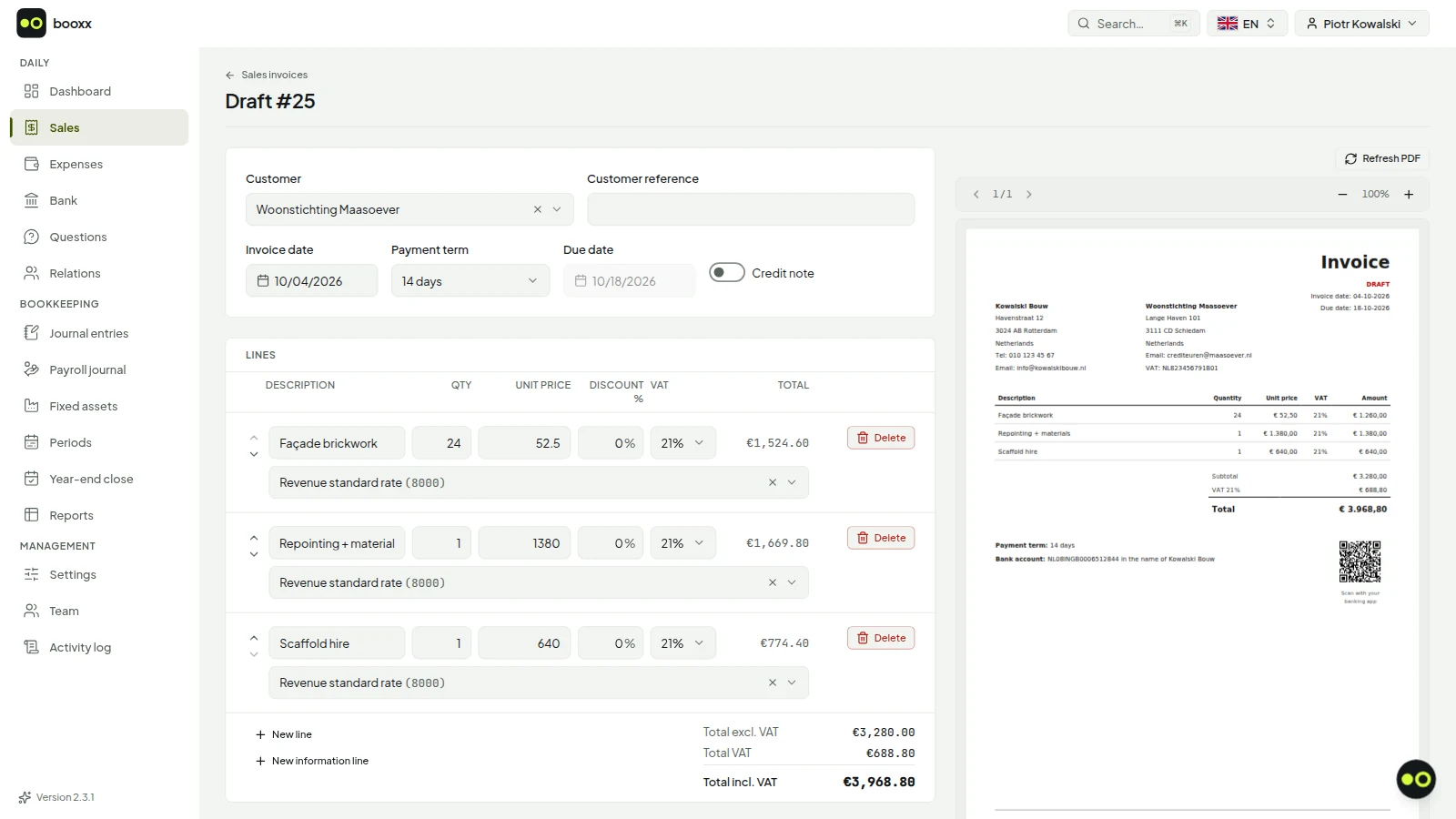
Clean invoices in your customer's language, with VAT that adds up — including reverse charge, EU supplies and the small businesses scheme. You see straight away who hasn't paid, and reminders go out by themselves once you switch them on.
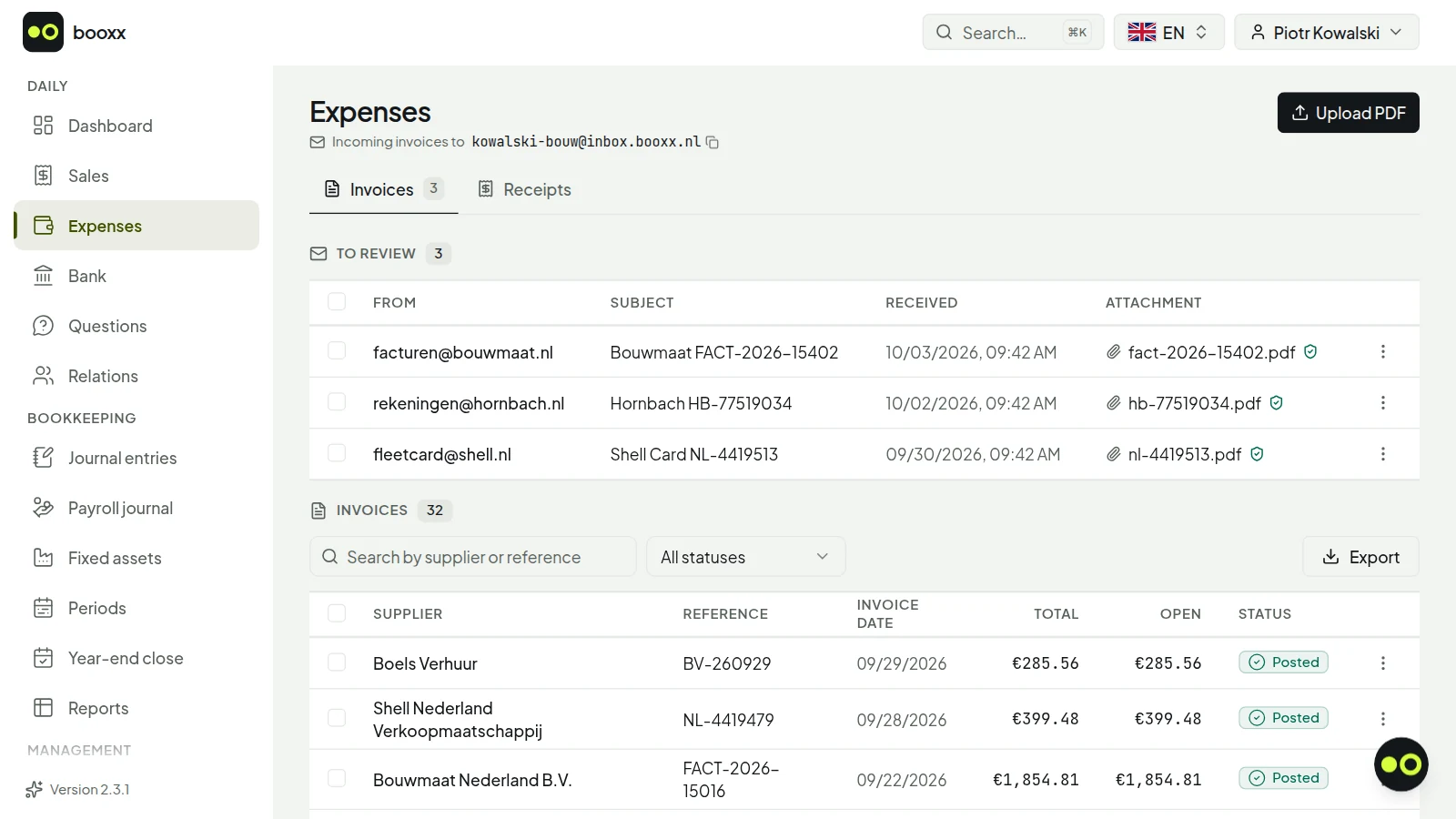
Forward your purchase invoices to your own inbox address, or drag them in. The supplier, the amount, the VAT and the invoice date are read out and the entry is waiting for you. Correct something once and it remembers that for that supplier.
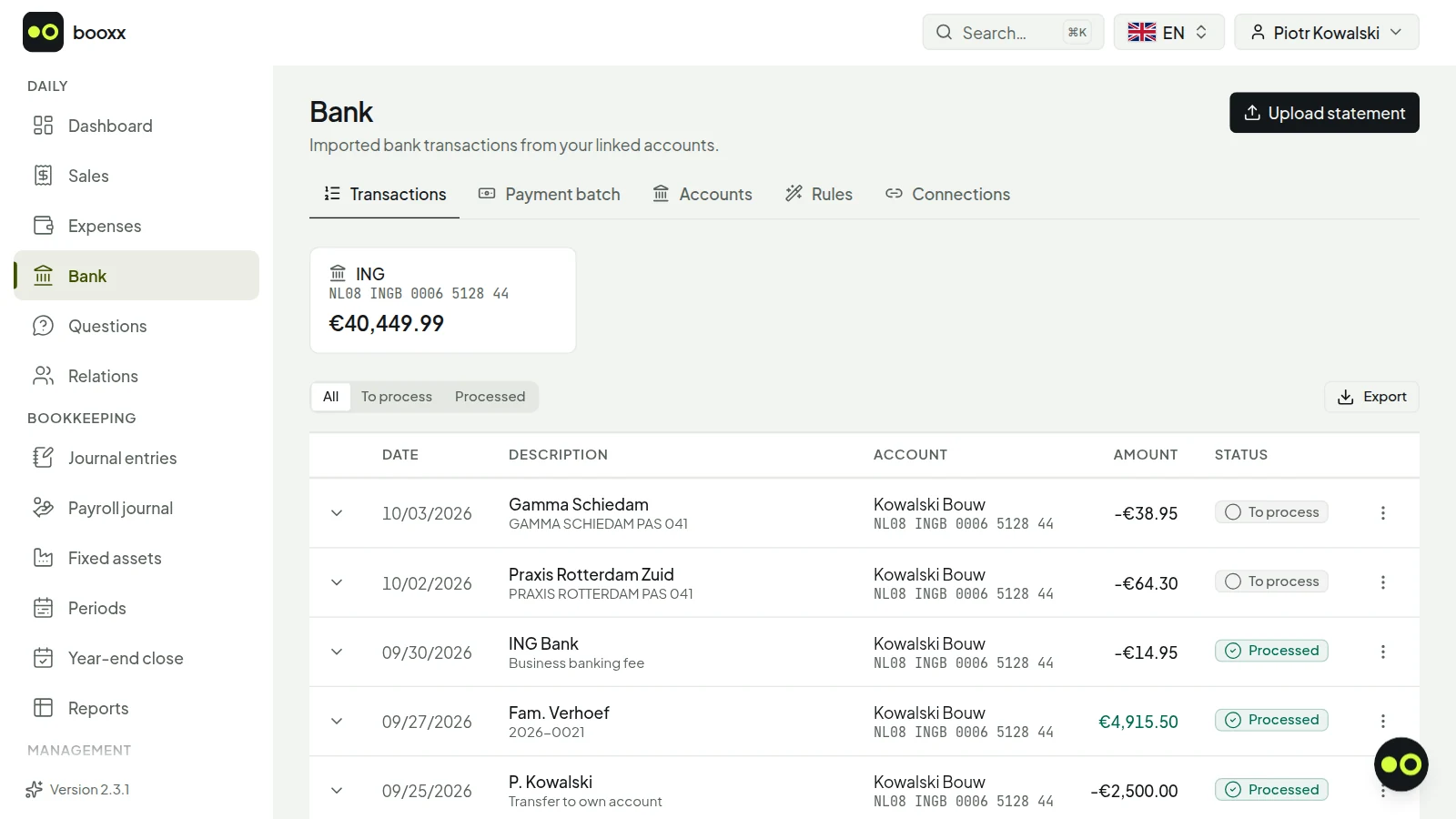
Upload your statement as an MT940 or CAMT file; every bank provides one. Payments that belong to an invoice get matched by themselves; recurring debits are posted using the rule you set up once.
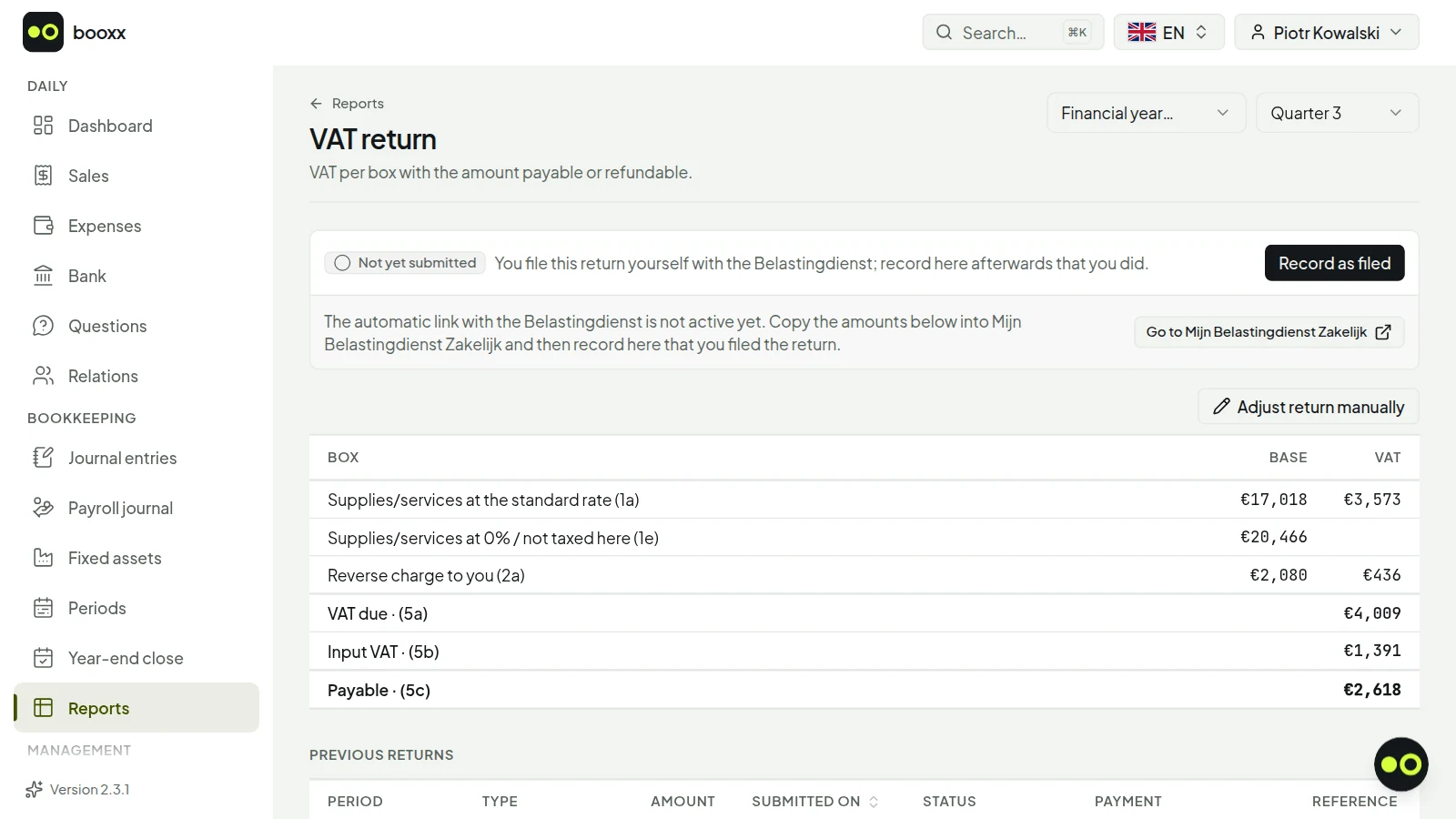
Every quarter your worksheet is ready with boxes 1a through 5b exactly as the Dutch Tax Administration asks for them. You click through to the entries behind every amount, so you never file anything you haven't seen. EC Sales List and corrections included.
Double-entry bookkeeping on an RGS chart of accounts: balance sheet, profit and loss, ledger cards, aged debtors, fixed assets and annual accounts. Plus the audit file (XAF) your accountant or the Dutch Tax Administration will ask for.
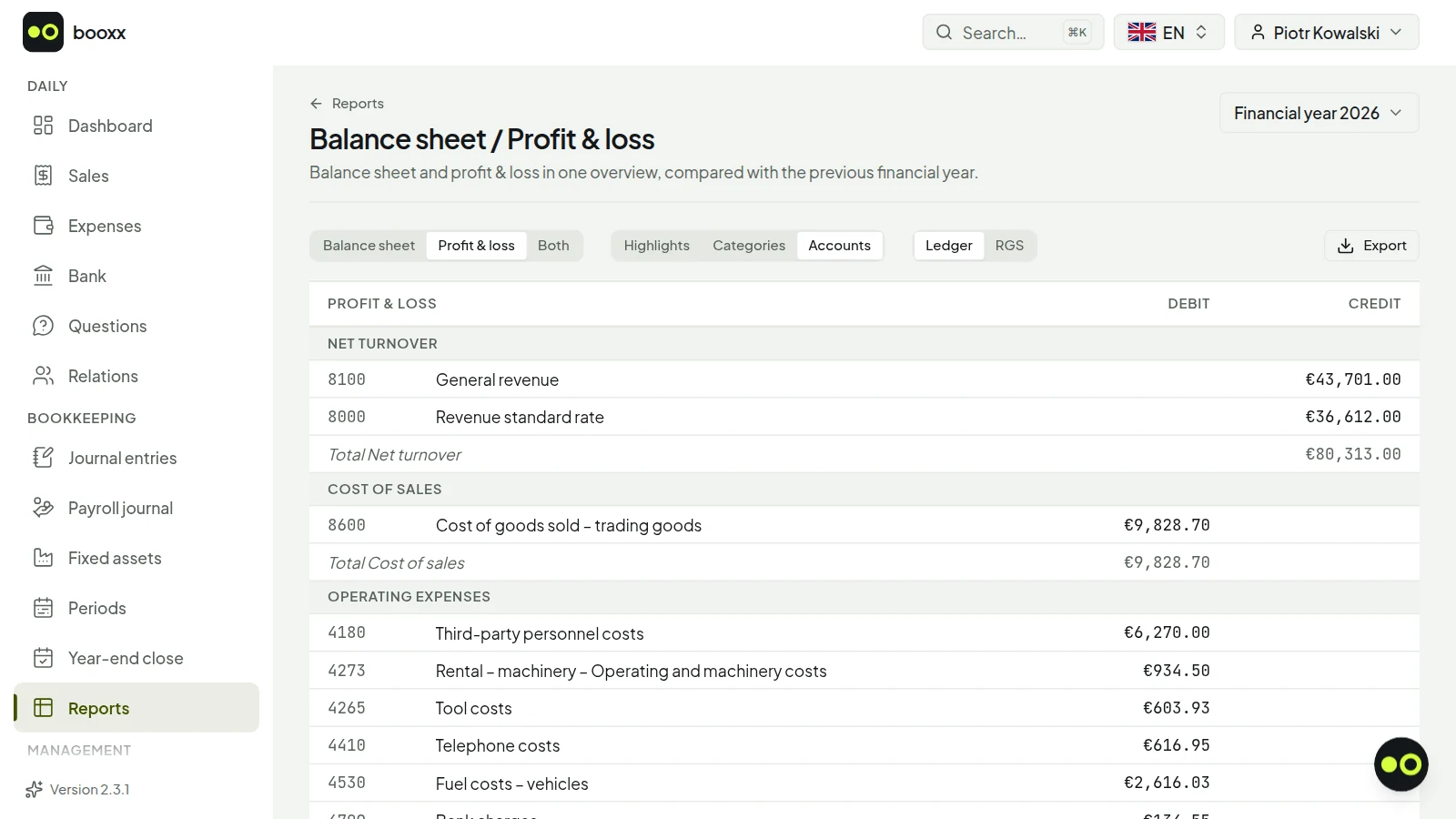
For most packages, multilingual means the menus. The moment you reach your ledger accounts — where a wrong choice skews your return — you are back in Dutch.
| Languages of the application | Of which the ledger too | |
|---|---|---|
| Moneybird | 3 | 1 |
| Jortt | 2 | 0 |
| e-Boekhouden.nl | 1 | 0 |
| booxx | 5 | 5 |
On your phone
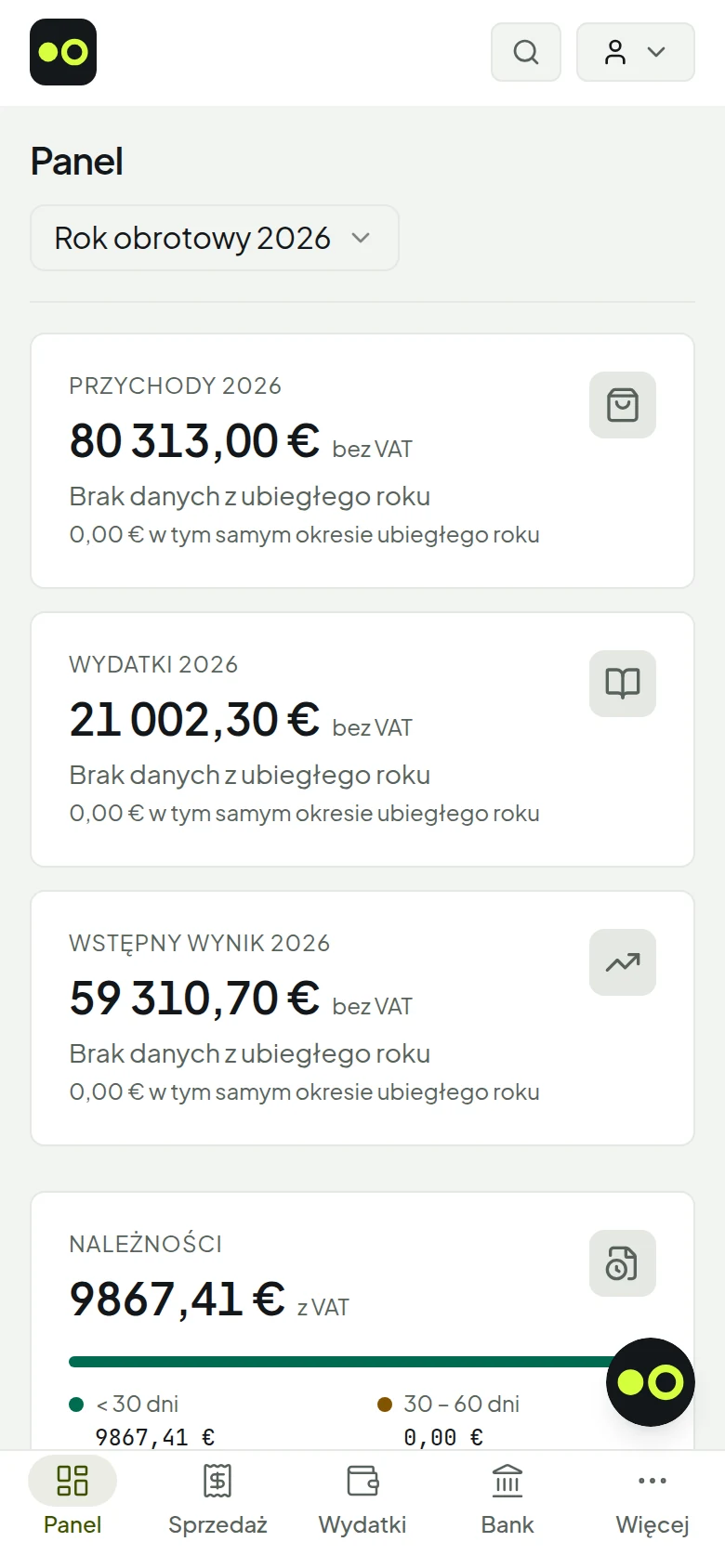
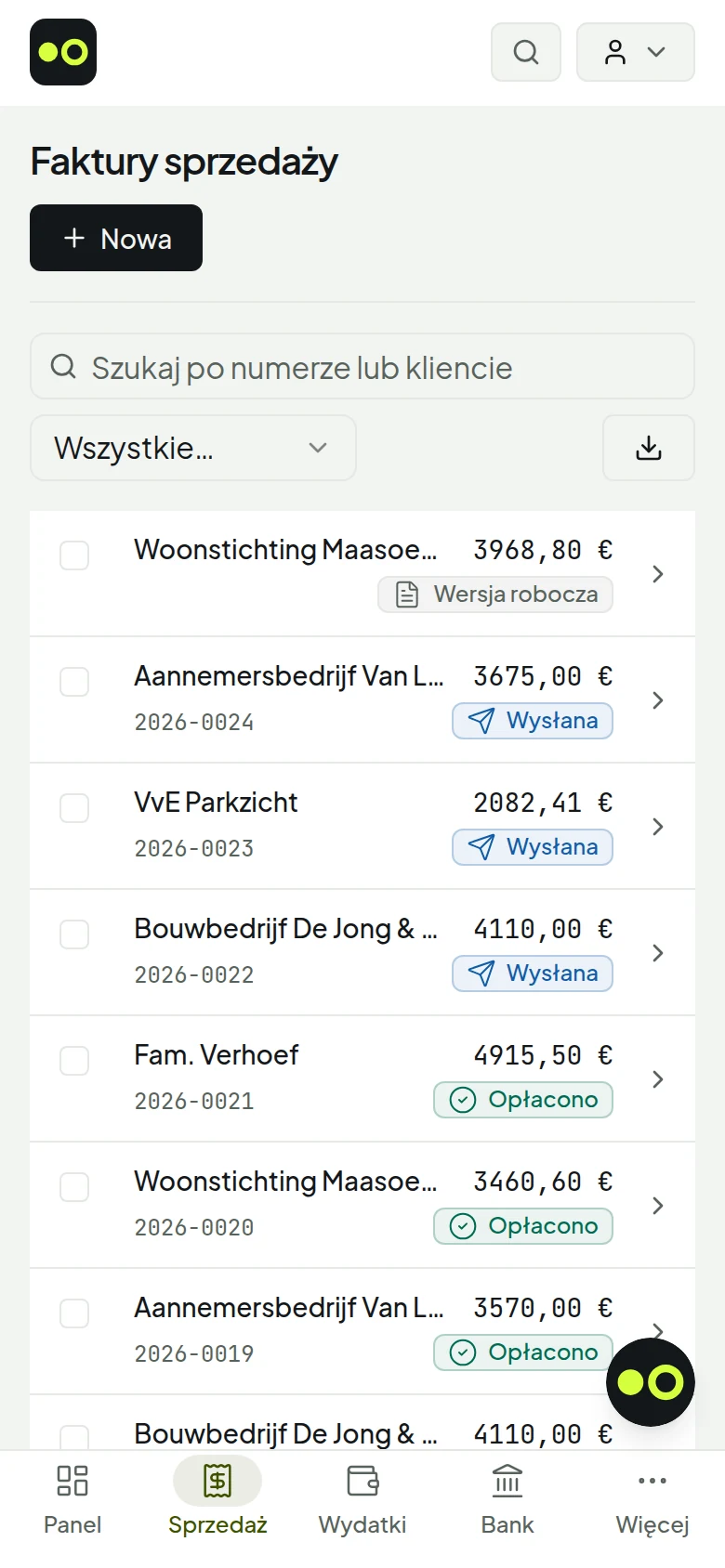
No separate app from a store, and no stripped-down mobile version. The same application, fitted to your screen.
You open the site on your phone and add it to your home screen — on an iPhone through Share, on Android through your browser's menu. After that it sits among your other apps as an icon and opens without an address bar. What you get is not a smaller version with fewer options: it is the same application with the same bookkeeping underneath. A navigation bar appears at the bottom, tables turn into cards, and forms go from two columns to one. If your connection drops, whatever you already had open stays readable instead of turning into an error page.
Translated accounting software usually means the menus are in your language and nothing else is. The moment you do something that matters, you're back in Dutch.
| Item | Usually | booxx |
|---|---|---|
| Menus and screens | Translated | Translated |
| Your ledger accounts | Dutch | In your language |
| The invoice your customer receives | No Polish, Hungarian or Romanian | In your customer's language |
| The email the app sends | Dutch | In the recipient's language |
| The explanation of a VAT box | Dutch | In your language |
| An answer about your own figures | Dutch | In your language |
That is why it works for someone who doesn't speak the Dutch language of bookkeeping. It isn't about the number of languages — it's about how deep the translation goes. A ledger account called "Vooruitontvangen bedragen" isn't a button you press wrong once; it's the reason your entry lands in the wrong place and your return doesn't add up. None of the three largest Dutch packages says it does this in Polish, Hungarian or Romanian: Moneybird works in Dutch and English, and shows your ledger categories in English only when your administration is set to English, Jortt works in Dutch and English, and e-Boekhouden.nl is Dutch-only — checked on their own sites on October 2, 2026.
For the business owner who keeps their own books — and for the practice that keeps them on their behalf.
You invoice, you have costs and you file VAT every quarter. That's all you need, and that's all you get.
Polish, Hungarian, Romanian or English — the whole set of books is in your language, including the terms where things go wrong.
Director's current account, fixed assets, year-end close and annual accounts. Several sets of books under one login.
If your business is quiet for a few months, park the books at €4 a month: see everything, post nothing, and still meet the retention requirement.
All your client books in one work list, sorted by what is most urgent. Your client works alongside you in the same environment, in their own language.
Who it's forFor accounting firmsWorking with your accountantFor construction
For accounting firms:NederlandsPolskiMagyarRomână
The first 90 days are free. After that per set of books, per month, excluding VAT — cancel any month.
€19 per month
Everything included
Excluding VAT · cancel any month · no setup fees
Moneybird, Jortt and e-Boekhouden.nl are good packages — for people who read Dutch. Here's what the difference is per package, and when you're better off there.
The most widely used package for freelancers, strong on ease of use. Works in Dutch and English; the price scales with your transaction volume.
CompareStrong on automatic posting and tax reporting, including help with income tax. In Dutch and English; an entry cap on the freelancer plan.
CompareOf the three, the cheapest plan that includes the VAT return, and the most complete on the bookkeeping side. Available in Dutch only.
CompareBuilt around time tracking and projects, for freelancers who sell hours. The price hangs on your annual turnover and, on the three cheaper plans, also on the number of bank transactions.
CompareThe former DigiBTW, aimed at freelancers. Free invoicing, €15 a month for everything on an annual subscription, and the only one of the five that states no cap on entries.
CompareNot a bookkeeping package but an invoicing app — and one that does speak Polish, Hungarian and Romanian. It does not mention bookkeeping: you share invoices and expenses with your bookkeeper.
CompareFree, no account, with 2026 rates and the same calculation core as the software.
Enter your turnover and costs and see what you keep after Dutch income tax and the Zvw contribution, per year and per month, at 2026 rates.
Open the calculatorFrom the net you want to keep each month to the profit, the turnover and the minimum hourly rate you need to charge, with 2026 Dutch tax included.
Open the calculatorEnter your hours and weeks and see whether you reach 1,225 hours, and whether the second condition applies to you.
Open the calculatorAn amount with or without VAT, at 21%, 9% or 0%: the three lines of your invoice.
Open the calculatorWhat your investment yields in small-scale investment deduction, and what that saves in tax.
Open the calculatorYes, for 90 days and without a payment method. During that period your set of books runs on the full package — invoicing, the purchase inbox, your bank, the VAT return and every report — not on a stripped-down version. Adding a second set of books is only possible once you pick a plan. Nothing is charged, so there is nothing to cancel either: if you do nothing after 90 days it stops by itself. You then have thirty days to download your records or still pick a plan; after that the set of books is deleted. If you want to keep viewing your figures without booking, choose Dormant.
Your return is calculated here using the Dutch boxes, including the EC Sales List for supplies within the EU and supplementary returns for corrections. You file it yourself through Mijn Belastingdienst Zakelijk. VAT support is part of the Standard plan at €19 a month.
Not necessarily — this is built for entrepreneurs who do it themselves. If you do want guidance later, you invite your accountant with the Bookkeeper role; that costs nothing extra. If you signed up through the link of an affiliated bookkeeping firm, that firm can also take over your books; that only happens if you, as the owner, explicitly agree.
Yes. You import the audit file (XAF) from your previous package, including your chart of accounts and your open items. Most Dutch accounting packages can produce that file; check that your previous package has the export.
No. That's what the Dormant plan is for: €4 a month, which lets you view and export everything but post nothing. That way you meet the seven-year retention requirement without paying the full price, and you switch it back on whenever you like.
On servers inside the European Union. You can export your entire set of books as an audit file at any time — including when you leave. There is no export lock on your own figures.
Yes. A practice gets its own environment with every client's books in one work list, sorted by urgency: the VAT deadline for the last closed period, the number of bank lines still to be matched, the documents waiting to be validated, and the reconciliation checks showing red. You enter a client with your own login — no shared passwords, every action carries a name — and you set per staff member which clients they see. The chart of accounts, the journals and the VAT codes are configured once at practice level; every new client starts from those, and a client who needs something of their own deviates without the rest shifting along. Meanwhile your client keeps access to their own books and works there in their own language.
Yes, as a web app. You open the site on your phone and add it to your home screen; after that it sits among your other apps and opens without an address bar. There is no separate, stripped-down mobile version: it is the same application with the same bookkeeping underneath, with a navigation bar at the bottom, tables that turn into cards, and forms in a single column. Whatever you already had open stays readable if your connection drops. Nothing has to be fetched from an app store and there is no separate version to keep updated.
Yes, at no extra cost. You can invite an unlimited number of team members — colleagues, but also your accountant — each with their own role. There is no per-user price and no maximum to keep an eye on: the price is per set of books, not per person. If you signed up through the link of a firm that uses booxx itself, that firm can also take over your books, if you agree.
Not into Polish, Hungarian or Romanian, as far as we could establish. Moneybird can be switched to English per administration, and your ledger categories then get English names; it sends invoices in nineteen languages, including Polish, Hungarian and Romanian. Jortt works in Dutch and English and does not say whether your ledger is translated; e-Boekhouden.nl is available in Dutch only. None of the three says it offers the program itself or your ledger in Polish, Hungarian or Romanian. Checked on their own sites on October 2, 2026; each package is worked out on our comparison pages.
booxx.nlYour books, in your own language
Create a set of books, send your first invoice and see whether it works for you. The first 90 days are free and no payment method is asked for, so there is nothing to cancel later.
90 days free · no payment method needed · cancel monthly afterwards